Looking for expert help? See our Google Ads management services in Delhi.
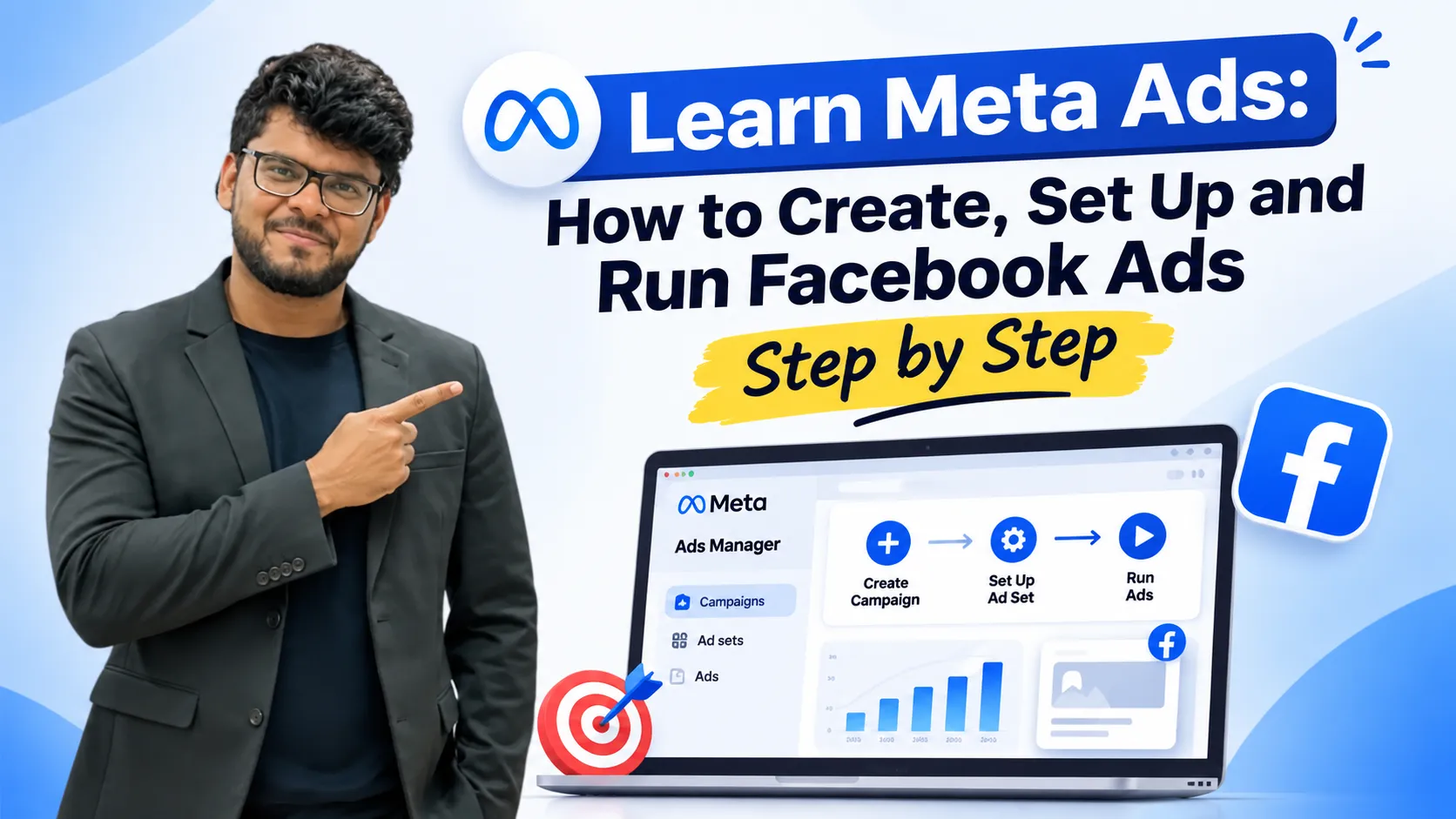
Meta Ads have become an important part of digital marketing for businesses that want to increase brand awareness, generate leads, drive website traffic, and improve online sales. Whether you run a small business, an e-commerce store, or a service-based company, Facebook and Instagram advertising can help you reach potential customers through targeted paid campaigns.
However, running successful Meta Ads requires more than simply creating an advertisement and setting a budget. Businesses need to understand their target audience, choose the right campaign objective, configure ad sets, select placements, create engaging ad creatives, and monitor campaign performance.
Meta Ads are paid advertising campaigns that allow businesses to promote their products, services, and brands across Facebook, Instagram, and other available placements. These advertisements use audience information, platform data, and advertising algorithms to deliver relevant ads to potential customers.
In this guide, we will explain how Meta Ads work, how to create a Facebook Ads campaign, how to select the right audience, how to set advertising budgets, and how to launch and manage campaigns effectively.
Learn More :- How Meta Ads Help Small Businesses Grow Faster Online in 2026
What Are Meta Ads?
Meta Ads are a form of paid digital advertising that helps businesses promote their products and services to specific audiences across social media platforms.
Unlike search advertising, where users actively search for a product or service, Meta Ads primarily work through push marketing. This means advertisements are shown to people based on their interests, behaviour, demographics, and other available audience signals.
For example, suppose you own an online clothing store and want to promote your winter collection. You can create an advertisement featuring your products and target people who are more likely to be interested in clothing, shopping, and seasonal offers.
The advertising platform uses its algorithm and available data to identify potential audiences and deliver your advertisements.
How Do Meta Ads Work?
Meta Ads work by combining audience targeting, advertising algorithms, campaign objectives, budgets, and ad placements.
The basic process involves:
A business chooses an advertising objective.
The advertiser defines the target audience.
An advertising budget is assigned.
Ad creatives and advertising formats are selected.
The platform delivers advertisements to suitable users.
Campaign performance is monitored through reporting and analytics.
The effectiveness of a campaign depends on how well the advertiser understands the target audience, chooses the campaign objective, and develops the advertising strategy.
Meta Ads vs Traditional Search Advertising: Understanding Push Marketing
One important concept to understand before creating Meta Ads is the difference between push marketing and pull marketing.
Pull marketing focuses on reaching people who are already searching for a particular product or service. Search advertising is a common example because users actively express their requirements through search queries.
Push marketing focuses on showing advertisements to potential customers who may not be actively searching for a product but could be interested in it.
Meta Ads primarily follow the push marketing approach.
For example, someone scrolling through Instagram may not be searching for a new smartphone. However, an advertisement featuring a smartphone with attractive features and offers may generate interest.
This makes audience research extremely important. Businesses should understand:
Who their potential customers are.
What products or services interest them.
What problems they want to solve.
Which social media platforms they use.
What type of advertising content attracts their attention.
When businesses understand these factors, they can create more relevant campaigns and improve their advertising performance.
What Is Meta Business Suite and Why Is It Important?
Meta Business Suite provides a centralized environment for managing business activities across Facebook and Instagram.
Instead of managing different marketing activities separately, businesses can use this platform to organize several important tasks.
Its major uses include:
1. Social Media Management
Businesses can manage their Facebook and Instagram activities from a centralized interface.
2. Content Scheduling
You can schedule social media posts and manage content publishing instead of manually posting everything.
3. Advertising Management
The platform provides access to advertising management features, allowing businesses to create and manage paid campaigns.
4. Performance Monitoring
Businesses can review advertising performance and understand how their campaigns are performing.
For businesses managing multiple social media activities, a centralized management system makes daily marketing operations easier.
Different Types of Meta Ads Formats
Meta Ads provide different advertising formats that businesses can use depending on their marketing goals and the type of content they want to promote.
Choosing the right format is important because different advertisements communicate information in different ways.
1. Image Ads
Image ads use a single visual to promote a product, service, or brand.
They are useful for:
Brand awareness campaigns.
Product promotions.
Special discounts and offers.
Business announcements.
Promoting individual services.
For example, a business can create an image advertisement to promote a limited-period discount on its products.
2. Video Ads
Video advertisements allow businesses to communicate their message through moving visuals.
They can be used to:
Demonstrate products.
Explain services.
Showcase business activities.
Promote special offers.
Increase video views and brand awareness.
Video ads are useful when a business needs more space to explain its products or services.
3. Carousel Ads
Carousel ads allow advertisers to display multiple images or videos within a single advertisement.
Users can scroll through different cards to explore products or services.
For example, an online clothing store can use carousel ads to showcase different clothing categories, product designs, and offers.
4. Collection Ads
Collection ads are particularly useful for e-commerce businesses that want to promote multiple products together.
For example, imagine an online store running a winter collection sale. Instead of advertising only one product, the business can showcase several discounted products together.
Customers can explore the collection, click on individual products, and view their details and prices.
Collection ads can be useful for:
Seasonal product collections.
Summer and winter sales.
Festival promotions.
Multiple product launches.
E-commerce discount campaigns.
The most suitable advertising format depends on the campaign objective, business requirements, and available creative content.
How to Create a Meta Ads Campaign Step by Step
Creating a Meta Ads campaign requires several steps. From choosing an advertising objective to publishing the final advertisement, each stage plays an important role.
Let’s understand the complete process.
Step 1: Start Setting Up Your Advertising Account
Before creating your first campaign, you need to access the advertising management platform.
During the initial setup, you may be asked to provide information such as:
Industry category.
Business name.
Account details.
Payment information.
You can complete the required business information and proceed to campaign creation.
Payment details can also be added when you are preparing to publish and run your campaign.
Step 2: Select Your Campaign Objective
The campaign objective tells the advertising platform what you want to achieve through your advertisement.
Meta Ads provides different campaign objectives depending on business requirements.
Common objectives include:
Campaign objective | Purpose |
|---|---|
Awareness | Increase brand visibility and reach |
Traffic | Bring visitors to a website or destination |
Engagement | Generate interactions, messages, and video views |
Leads | Collect potential customer enquiries |
Sales | Encourage customers to purchase products or services |
App Promotion | Promote an application and encourage app-related actions |
For example:
If you want more people to know about your brand, choose Awareness.
If you want visitors to explore your website, choose Traffic.
If you want customer enquiries, choose Leads.
If you want online purchases, choose Sales.
If you want more engagement with your content, choose Engagement.
Which Meta Ads objective should you choose?
The right objective depends on your business goal. Selecting the wrong objective can make it difficult to achieve the results you actually want.
Therefore, define your marketing goal before creating the campaign.
Step 3: Choose Manual Campaign Setup
During campaign creation, the platform may provide recommended campaign settings, particularly for new advertisers.
These recommendations can simplify the setup process.
However, manual campaign setup provides more control over different advertising settings.
With manual setup, you can configure:
Campaign name.
Campaign objective.
Special Ad Categories.
Buying type.
Budget settings.
Ad set configuration.
You can also create campaign templates or use previously created templates to simplify future campaign management.
For beginners, understanding these basic settings is important before moving towards advanced campaign strategies.
Step 4: Enter Your Campaign Name
Every campaign should have a clear and meaningful name.
Campaign naming helps you identify and organize different advertising activities.
For example, if you are running a campaign to generate enquiries for a digital marketing service, you can use a name that clearly identifies the service and campaign objective.
Similarly, you can create different naming structures for seasonal promotions, product launches, and brand awareness campaigns.
A proper naming system makes campaign management and performance analysis easier.
Step 5: Understand Special Ad Categories
Some advertisements fall under special advertising categories and require advertisers to declare their category during campaign creation.
These may include:
Credit and financial services.
Employment and job opportunities.
Housing and real estate.
Social issues.
Elections and political advertisements.
For example, if you are advertising a job opportunity or a housing-related service, you may need to select the relevant category.
If your advertisement does not fall under any applicable special category, you should select the appropriate option accordingly.
It is important to identify the correct category before publishing your advertisement because special categories can affect available advertising and audience-targeting options.
Step 6: Understand the Meta Ads Buying Types
Buying type determines how advertising inventory is purchased and how the campaign is delivered.
Two important buying types discussed in the campaign setup process are Auction and Reservation.
Auction Buying Type
Auction-based advertising involves competition between advertisers for available advertising opportunities.
The platform considers different factors, including advertiser bids and ad delivery opportunities, when deciding which advertisements are shown.
Advantages:
Flexible advertising approach.
Potential to achieve efficient costs.
Opportunities to optimize campaign delivery.
However, advertising costs and results can vary depending on competition and campaign conditions.
Reservation Buying Type
Reservation allows advertisers to plan campaigns around more predictable advertising arrangements.
It can provide greater predictability in campaign delivery and estimated results.
However, it may involve additional requirements, such as minimum audience reach and budget conditions.
Factor | Auction | Reservation |
|---|---|---|
Advertising approach | Competitive bidding | Planned reservation |
Flexibility | More flexible | More structured |
Cost predictability | Can vary | More predictable |
Campaign planning | Flexible optimization | Planned delivery |
The choice between these options depends on campaign requirements, budget, and the level of delivery predictability needed.
How to Set Up an Ad Set in Meta Ads
After configuring the campaign, the next important stage is creating the ad set.
An ad set defines important advertising settings, including the audience, budget, schedule, placements, and delivery preferences.
Step 7: Select Your Performance Goal
The performance goal tells the platform what result you want to maximize.
For example, in an awareness campaign, you may see options such as:
Maximize Reach: This option focuses on showing your advertisement to as many people as possible within the selected audience.
Maximize Ad Recall Lift: This option focuses on reaching people who are more likely to remember your advertisement.
The right selection depends on whether your priority is maximum audience reach or improving advertisement recall.
For beginners, understanding the difference between these goals is important before selecting one.
Step 8: Set Frequency Controls
Frequency refers to how many times an individual person sees your advertisement during a particular period.
For example, if someone sees the same advertisement three times within one week, the frequency is three.
Frequency controls help advertisers manage how often advertisements are displayed to the same users.
You may find options such as:
Target frequency.
Frequency cap.
A frequency cap allows advertisers to set a maximum limit on how often the same person should see an advertisement.
For example, you can set a maximum of three impressions per person within a week.
This can help reduce excessive repetition and improve the overall advertising experience.
Step 9: Set Your Campaign Schedule
Meta Ads allows advertisers to schedule when their campaigns should start and, where applicable, when they should end.
You can configure:
Campaign start date.
Start time.
Campaign end date.
End time.
Scheduling is useful when you want advertisements to run during a particular promotional period.
For example, if your business is running a seasonal sale, you can schedule advertisements to begin when the offer becomes available.
Step 10: Select Your Target Audience
Audience targeting is one of the most important parts of creating a successful Meta Ads campaign.
The advertising platform provides different ways to define the people who should see your advertisements.
You can configure audience settings using available options such as:
Location: Select the geographical areas where you want to reach potential customers.
Age and Gender: Define audience demographics according to your campaign requirements and available targeting options.
Languages: Select languages relevant to your target audience, such as Hindi or English.
Detailed Targeting: Select relevant interests and audience characteristics.
For example, if you are promoting digital marketing services, you may consider interests related to digital marketing and other relevant business topics.
You can also explore suggested interests and review the estimated audience size.
Why Is Detailed Audience Targeting Important?
Detailed targeting helps advertisers reach people who are more likely to be interested in their products or services.
You can select multiple relevant interests and narrow your audience according to your campaign requirements.
For example:
Suppose you want to advertise a digital marketing service.
You can select relevant interests related to digital marketing and business-related topics.
Adding additional matching interests can narrow the audience and make the targeting more specific.
However, adding more interests does not automatically guarantee better results. The audience should remain relevant to the product or service being advertised.
Step 11: Create a Custom Audience
Custom Audiences allow businesses to create audiences using customer information and available data sources.
For example, businesses may have audience information collected through:
Website activities.
Offline customer interactions.
Customer contact records.
Application activities.
Other available customer data sources.
This information can help businesses create custom audience groups for advertising purposes.
Custom Audiences are particularly useful when a business wants to reach people who have previously interacted with its brand or business.
For example, an online store may want to advertise new products to people who have previously visited its website.
This makes Custom Audiences an important part of audience planning and campaign management.
How to Set Your Meta Ads Budget
Budget planning is another essential part of running advertisements.
Meta Ads provides different budget options depending on how you want to control advertising expenditure.
Step 12: Understand Daily Budget and Lifetime Budget
There are two important budget options.
Daily Budget
A daily budget defines the amount you want to allocate to your campaign or ad set on a daily basis.
For example, if you assign a daily budget of ₹500, you are setting a daily spending target for your advertising campaign.
Lifetime Budget
A lifetime budget defines the total amount you want to spend over the selected campaign duration.
For example, if your campaign is scheduled to run for seven days, you can define the total advertising budget for that period.
Budget type | Meaning |
|---|---|
Daily Budget | Budget allocated on a daily basis |
Lifetime Budget | Total budget allocated for the campaign duration |
Choose the budget type according to your campaign duration and financial planning.
Step 13: Understand Advantage Campaign Budget
Advantage Campaign Budget is an automated budget optimization feature.
It allows advertisers to create multiple ad sets within one campaign and distribute the overall campaign budget according to their performance.
Instead of distributing the budget equally across every ad set, the system can allocate different amounts based on real-time performance data.
For example:
Suppose you have created three ad sets within a single campaign.
Ad Set A is performing well.
Ad Set B is generating moderate results.
Ad Set C is generating comparatively weaker results.
The campaign budget optimization system can distribute more budget towards better-performing ad sets rather than allocating the same amount to all three.
This helps automate budget distribution and reduces the need for advertisers to manually adjust every ad set.
However, you can also configure individual ad set budgets when you want more direct control over spending.
The advertising discussion provides the following illustrative minimum budget figures for different campaign objectives.
Campaign objective | Minimum budget mentioned | Minimum duration |
|---|---|---|
Website Calls | $70 | 7 days |
Website Traffic | $32 | 7 days |
App Promotion | $54 | 7 days |
Brand Awareness | $7 | 7 days |
Sales | $24 | Not specified |
These figures are the amounts mentioned in the supplied discussion, not universal or guaranteed minimums for every advertising account.
Actual minimum budget requirements can vary depending on campaign settings, buying type, objective, and other advertising conditions.
How do you calculate the daily advertising budget?
For campaigns with a fixed seven-day budget, divide the total budget by seven to calculate the average daily allocation.
For example:
If your total campaign budget is $70 for seven days:
Your average daily budget would be $10.
Before launching a campaign, make sure the selected budget is suitable for your business objectives and campaign duration.
Step 14: Select Your Ad Placements
Placements determine where your advertisements appear across the available platforms and advertising locations.
Meta Ads provides two major placement approaches.
Advantage+ Placements
This option allows the platform to automatically select suitable placements based on factors such as the campaign, audience, and available budget.
It can simplify campaign management because you do not need to manually select every placement.
Manual Placements
Manual placements allow advertisers to choose where their advertisements should appear.
You can configure available placement options according to your advertising requirements.
For example, you may want your advertisements to appear in particular feed, story, or other available placements.
Placement option | How it works |
|---|---|
Advantage+ Placements | Automatically selects suitable available placements |
Manual Placements | Allows advertisers to choose placements manually |
For beginners, automatic placements can provide a simpler starting point. However, manual placements may be useful when a campaign requires greater control over where advertisements appear.
Step 15: Choose the Right Ad Creative Format and Size
After completing the ad set configuration, you need to prepare your advertising creative.
The creative includes the visual content that users will see when your advertisement appears.
This may include images, videos, and other supported formats.
Creative dimensions are important because the same advertisement can appear differently across feeds, stories, and reels.
The discussion highlights two commonly used creative sizes:
Square Post
1080 × 1080
Suitable for standard square feed creatives.
1:1
Stories and Reels
1080 × 1920
Suitable for vertical full-screen creatives.
9:16
It is useful to prepare different creative versions for different placements.
For example, you can create:
A square version for feed placements.
A vertical version for stories and reels.
A landscape version where the selected placement supports it.
Always review the advertisement preview before publishing.
An advertisement designed for a square feed may appear cropped or cut off when displayed in vertical placements.
Preparing placement-specific creatives helps maintain the visibility of important text, images, and promotional information.
Step 16: Write Your Ad Copy
Ad copy is the written content that communicates your advertising message to potential customers.
A typical advertisement may include:
Primary Text: The main message that appears with your advertisement.
Headline: A short and attention-grabbing title that highlights the offer or key benefit.
Description: Additional information about the product, service, or promotion.
When writing advertising copy, focus on:
Clearly explaining what you offer.
Highlighting important benefits.
Addressing customer requirements.
Using simple and understandable language.
Including a relevant call to action.
Some advertising interfaces also provide AI-assisted creative writing suggestions.
These suggestions can help advertisers generate different versions of their primary text and other creative elements.
You can review the suggested content, select suitable versions, and edit them according to your business requirements.
It is important to check that the final advertising copy accurately represents your products or services.
Step 17: Add Your Website or Landing Page URL
If your objective is to generate website traffic, leads, or sales, you may need to direct users to a relevant website page.
This is where the destination URL becomes important.
For example, suppose you are promoting web development services.
Instead of sending every visitor to your website homepage, you can direct them to the specific web development service page.
You can configure:
Destination URL.
Display link.
Advertisement headline.
Description.
Other available destination settings.
A relevant landing page helps users find the information they expect after clicking an advertisement.
For better campaign relevance, make sure the landing page matches the advertising message.
Step 18: Set Up Advertising Tracking
Tracking helps businesses understand how users interact with their advertisements and what actions they take after clicking.
During advertisement setup, you can configure the available tracking options according to your campaign requirements.
Tracking is important because it helps advertisers review campaign results and understand whether their advertisements are achieving the intended objectives.
For example, businesses running lead generation or sales campaigns need to understand whether their advertisements are generating meaningful customer actions.
Without proper tracking, evaluating campaign performance becomes more difficult.
Step 19: Review Your Advertisement and Publish
Before publishing your campaign, review all important settings.
Your final checklist should include:
Correct campaign objective.
Appropriate campaign and ad set names.
Correct special advertising category, where applicable.
Suitable buying type.
Appropriate budget.
Relevant target audience.
Correct campaign schedule.
Suitable advertising placements.
Proper image or video dimensions.
Clear primary text and headline.
Correct destination URL.
Appropriate tracking settings.
Also review the advertisement preview to understand how it will appear across different placements.
Once all settings are correct, complete the required payment and publishing steps to launch your campaign.
How to Monitor Meta Ads Performance After Launch
Creating and publishing a campaign is only the beginning of the advertising process.
Businesses should regularly monitor campaign performance to understand whether their advertisements are achieving their objectives.
Meta Ads provides reporting and performance information that helps advertisers evaluate campaigns.
You can review campaign information through different reporting views, including charts and performance summaries.
Important areas to monitor include:
Reach: The number of unique people who saw your advertisement.
Impressions: The total number of times your advertisement was displayed.
Frequency: The average number of times each person saw your advertisement.
Cost Per Result: The average amount spent to achieve the selected campaign result.
Campaign Budget: The amount allocated and spent on advertising.
Engagement: The interactions generated by your advertisement.
By reviewing these performance indicators, advertisers can understand which campaigns and ad sets are performing well.
You can also edit campaign settings, make adjustments, and manage active advertisements according to performance requirements.
Common Mistakes to Avoid When Running Meta Ads
Businesses often focus heavily on creating advertisements but overlook important campaign setup decisions.
Here are some common mistakes to avoid.
1. Choosing the Wrong Campaign Objective
Every campaign should have a clearly defined purpose.
Selecting an awareness objective when your main requirement is lead generation may not support your actual business goal.
Always choose the objective according to the result you want.
2. Not Understanding the Target Audience
Showing advertisements to an irrelevant audience can reduce campaign effectiveness.
Understand your potential customers before selecting audience interests, demographics, and other available targeting options.
3. Setting an Unrealistic Budget
Your advertising budget should match your campaign objective and duration.
Plan the total spending before launching the campaign.
4. Using the Same Creative for Every Placement
Different placements have different display dimensions.
Using the same creative everywhere may result in cropped text, images, or important promotional elements.
Prepare suitable creative versions for different placements.
5. Ignoring Frequency
Showing the same advertisement repeatedly to the same audience can create excessive repetition.
Use frequency controls where available and monitor how frequently users see your advertisements.
6. Not Reviewing Campaign Performance
Launching an advertisement without monitoring its performance makes it difficult to identify what is working.
Regularly review your campaign data and make informed adjustments.
7. Sending Users to an Irrelevant Landing Page
If your advertisement promotes a specific service, users should reach a page that provides information about that service.
A relevant landing page makes the customer journey clearer.
How Can Businesses Use Meta Ads to Grow Their Business?
Meta Ads can support different business objectives depending on the products, services, and marketing requirements of a company.
Here are some practical applications.
Business requirement | How Meta Ads can help |
|---|---|
Brand awareness | Promote a brand through image and video advertisements |
Lead generation | Encourage potential customers to submit enquiries |
Website traffic | Bring visitors to relevant website pages |
E-commerce sales | Showcase products and seasonal collections |
App promotion | Promote applications |
Customer engagement | Encourage interactions and messages |
For example, a local business can run lead generation campaigns to receive customer enquiries.
An e-commerce business can promote different product collections through carousel or collection ads.
Similarly, a service-based company can use awareness and traffic campaigns to introduce its services to relevant audiences.
The important factor is selecting an advertising strategy that matches the business’s actual requirements.
How Social Click Helps Businesses with Meta Ads and Digital Marketing
Choosing the right digital marketing strategy is an important decision for every business.
However, many businesses are unsure which advertising objective to select, how much budget to allocate, which audience to target, or which advertising services are suitable for their requirements.
This is where Social Click can help.
Social Click acts as a bridge between businesses and digital marketing experts, helping companies access the right digital marketing guidance and services.
We understand that every business has different goals, budgets, audiences, and marketing requirements. Therefore, our approach focuses on understanding your business before connecting you with relevant digital marketing specialists.
Through our digital marketing consultation and guidance, businesses can receive support with:
Meta Ads and social media advertising requirements.
Facebook and Instagram advertising strategies.
Lead generation and online advertising objectives.
Google Ads and performance marketing.
Search Engine Optimization (SEO).
Social Media Marketing.
Content Marketing and other digital marketing services.
Our team focuses on transparent guidance, consultation assistance, and service comparison so businesses can make informed decisions.
Whether you are starting your first advertising campaign or looking for professional assistance with your existing digital marketing activities, Social Click helps you understand the available service options.
Start your digital marketing journey with the right guidance. Connect with Social Click for free expert guidance and consultation support.
Conclusion: Start Running Meta Ads with the Right Strategy
Meta Ads provide businesses with an opportunity to reach potential customers, promote products and services, increase brand awareness, generate enquiries, and drive online sales.
However, successful advertising requires proper planning and campaign management.
From understanding push marketing and selecting campaign objectives to setting budgets, defining audiences, choosing placements, and creating engaging advertisements, every step contributes to the overall campaign strategy.
Businesses should also monitor advertising performance regularly and make informed adjustments based on available data.
If you are planning to start Meta Ads or need guidance in selecting the right digital marketing services, Social Click can help you understand your options and connect with relevant digital marketing experts.
Make informed digital marketing decisions with Social Click. Get free expert guidance and take the next step towards growing your business online.