Looking for expert help? See our Google Ads management services in Delhi.
Meta’s advertising ecosystem — Facebook and Instagram combined — reaches billions of active users every month, making it one of the most powerful channels for generating qualified leads. Whether you’re a small business owner or a marketer running campaigns for clients, understanding how to turn Meta’s massive audience into a steady stream of leads can transform your growth trajectory.
Why Meta Is a Strong Lead Generation Channel
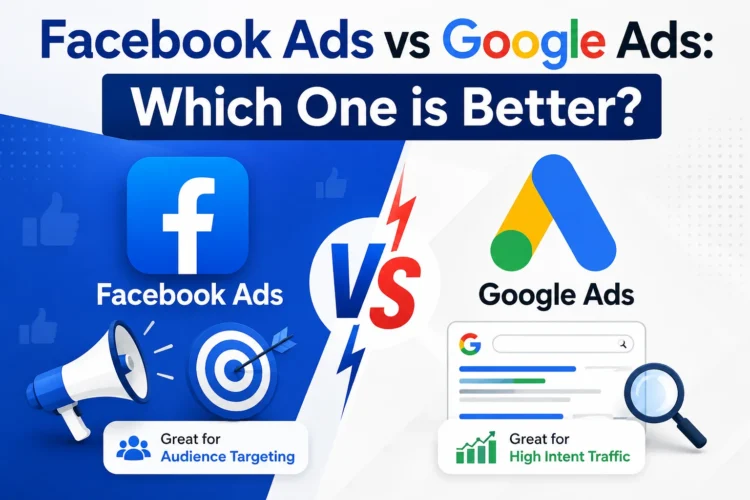
Unlike search advertising, which captures existing demand, Meta ads create demand by putting your offer in front of people based on their interests, behaviors, and demographics. With detailed targeting options and a native, low-friction lead capture format, Meta allows businesses to reach the right audience at scale — often at a lower cost per lead than many other digital channels. If you’re weighing Meta against other paid channels, our Facebook Ads vs Google Ads comparison breaks down which platform fits different goals.
Setting Up Meta Lead Ads and Instant Forms
Meta’s Lead Ads feature is purpose-built for this exact goal. Instead of sending users to an external landing page, Lead Ads open an “Instant Form” directly within Facebook or Instagram, pre-filled with the user’s profile information (name, email, phone number). This removes friction and dramatically increases conversion rates compared to standard landing pages.
To set one up:
- Create a campaign in Meta Ads Manager with the “Leads” objective.
- Choose Instant Forms as your lead method (or connect a CRM for automatic sync).
- Build a form with only the essential fields — every additional field reduces completion rates.
- Add a clear value proposition and a thank-you screen with a next step, such as a booking link or downloadable resource.
Targeting and Audience Strategy
Your targeting strategy will make or break campaign performance. Start with these audience types:
- Custom Audiences — built from your existing customer list, website visitors, or app users, ideal for retargeting warm prospects.
- Lookalike Audiences — modeled on your best existing customers, helping Meta find new people who share similar characteristics.
- Interest and behavior targeting — useful for cold audiences when you don’t yet have enough data for lookalikes.
As your pixel and conversion data accumulate, shift budget toward lookalike and retargeting audiences, which typically outperform broad interest targeting over time.
Crafting Compelling Ad Creative and Offers
Even the best targeting can’t compensate for a weak offer or creative. High-performing lead gen ads usually share these traits:
- A specific, high-value offer (a free consultation, checklist, discount, or demo) rather than a vague “learn more” pitch.
- Scroll-stopping visuals or short-form video that clearly show the product or outcome.
- Copy that leads with a benefit, addresses a pain point, and includes a clear call to action.
- Social proof — testimonials, ratings, or client logos — to build trust quickly.
Test multiple creative variations early, then let Meta’s algorithm allocate budget to top performers.
Budgeting and Bidding Tips
Start with a daily budget large enough to generate at least 15–20 leads per week per ad set; this gives Meta’s algorithm enough data to optimize delivery. Use the “Lead” or “Cost per Lead” bid strategy to let Meta prioritize quality over volume alone. Avoid making frequent budget or targeting changes — every edit resets the learning phase, which can temporarily hurt performance.
Integrating Leads with CRM and Email Tools
Manually downloading leads from Meta wastes valuable response time. Connect your Instant Forms to a CRM or email platform (via native integrations or tools like Zapier) so new leads are routed automatically to your sales or nurture sequence. Fast follow-up — ideally within minutes — significantly increases the odds of converting a lead into a customer. For a broader look at how Meta ads drive growth beyond lead capture, see how Meta ads help small businesses grow faster.
Measuring and Optimizing Performance
Track these core metrics to evaluate and improve campaigns:
- Cost Per Lead (CPL) — total spend divided by leads generated; benchmark this against your average customer value.
- Lead-to-customer conversion rate — not all leads are equal, so track quality alongside volume.
- Form completion rate — a low rate signals your form is too long or your offer isn’t compelling.
- Frequency — high frequency with declining performance suggests ad fatigue; refresh creative regularly.
Review performance weekly, pause underperforming ad sets, and reinvest budget into your best-converting audiences and creative.
Frequently Asked Questions
How much does Meta lead generation cost?
Cost per lead varies widely by industry, offer, and targeting, but starting with a daily budget that generates 15–20 leads per week per ad set gives Meta’s algorithm enough data to optimize efficiently.
Are Meta Lead Ads better than sending traffic to a landing page?
Instant Forms typically convert at a higher rate because they remove the extra step of loading an external page, but landing pages can offer more brand context and qualification questions.
How fast should I follow up with a new lead?
Ideally within minutes. Connecting your Instant Forms to a CRM or email tool for automatic routing dramatically improves response time and conversion odds.
Final Thoughts
Lead generation from Meta works best as an ongoing, iterative process — not a one-time campaign setup. By combining low-friction Instant Forms, sharp audience targeting, compelling offers, and fast CRM follow-up, businesses can build a reliable, scalable pipeline of qualified leads from Facebook and Instagram. Ready to go deeper? Explore our guide to Meta advertising trends for 2026 or learn why partnering with Meta advertising experts can elevate results further.